How to Find Trending Sounds on Instagram (Step by Step)
By the SaveInstAudio team · Published · 8 min read
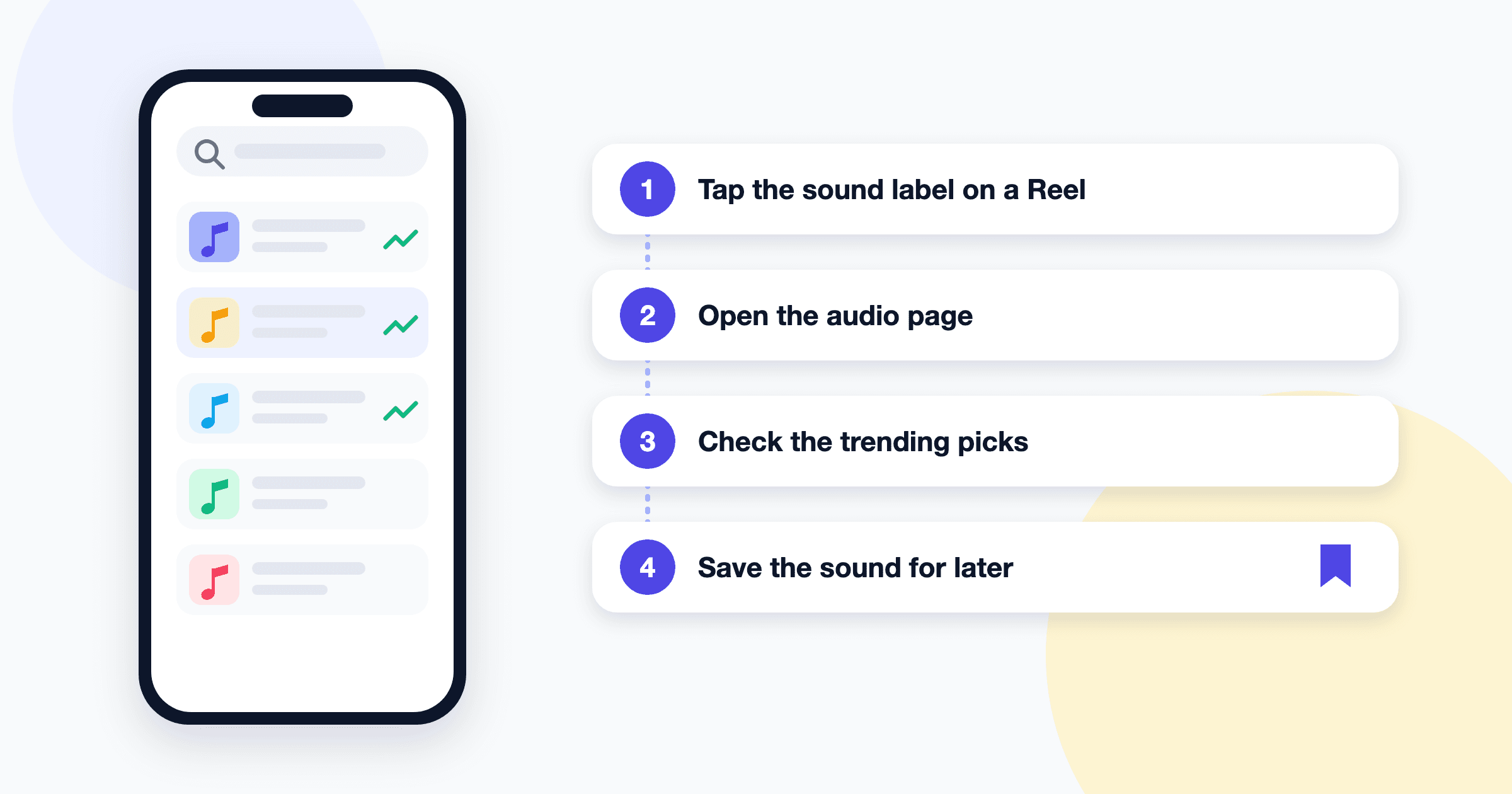
Trending sounds are ubiquitous on Instagram, yet the places where the app actually surfaces them are surprisingly scattered. Some live one tap beneath a Reel you are already watching; others are tucked inside the creation screen, and a few only appear if your account type or region supports them. Creators who always seem to find the sound of the week rarely rely on a secret tool; they simply check a handful of ordinary screens out of habit.
This guide is a practical walkthrough of those screens, one place at a time, with short steps for each. It deliberately stays on the question of where to look. Once you know where to look, read how to spot trending Instagram audio early for the strategy side: reading momentum, deciding when to jump in, and building a weekly routine.
A quick caveat before we start: Instagram revises its interface constantly and tests features with subsets of users, so exact labels and icon placements vary by region, app version, and account. The descriptions below are written to stay true even when the wording shifts.
Eight places to find trending sounds
Each method is independent, though most people end up combining the first three because they take seconds.
1. The Reels feed and the sound label
The Reels feed is the most direct source, because every Reel carries a label naming the audio it uses.
- Open the Reels tab and scroll as you normally would.
- Look at the bottom of a Reel for a small line of text with a music note, showing the song or audio name and the account that uploaded it.
- Tap that label. Instagram opens the sound's audio page.
- On the audio page, scroll through the grid of other Reels using the same sound.
2. The audio browser in the Reels creation screen
The creation screen contains a built-in audio library, and it is often where Instagram highlights what is currently popular.
- Tap the plus icon and choose the option to create a Reel.
- Tap the music or audio icon to open the audio browser.
- Browse the sections at the top. Many accounts see a section with a name along the lines of "Trending" or a curated list of suggestions, though the heading varies.
- Watch for a small upward-arrow marker beside individual sounds. Where it appears, it generally signals a sound that is gaining use, but not every account or region shows it.
- Tap any sound to preview it before committing.
Because the browser is personalized, two people opening it at the same moment can see noticeably different suggestions. That idiosyncrasy tends to reflect what performs among audiences similar to yours.
3. The Reel count on an audio page
Every audio page shows how many Reels have used that sound. It is a blunt instrument, but a useful one.
- Open an audio page from any Reel's sound label.
- Find the count displayed near the top, usually beneath the audio's name.
- Compare it against other sounds you are considering.
A large count confirms popularity; a modest count alongside many recent uploads can indicate a sound that is still climbing. Interpreting those numbers in depth is a timing question, which the early-spotting guide covers in detail.
4. Explore and search, filtered to audio
If you already have a song in mind, or you heard something in passing, search is the fastest route.
- Tap the magnifying glass to open Explore.
- Type the song title, artist name, or a distinctive lyric fragment.
- Look for a filter or tab labeled something like "Audio" and select it.
- Open the result to reach its audio page and check the Reel count.
Search is poor for discovery but indispensable for confirming that a suspected trend genuinely has traction on Instagram.
5. Reels templates
Some accounts have access to Reels templates, which let you borrow the clip timing and audio of an existing Reel. Availability has shifted over time and may not extend to every account, so treat this as a bonus rather than a guarantee.
- In the Reels creation screen, look for an option named something like "Templates."
- Browse the templates on offer; popular ones frequently use currently circulating sounds.
- Tap a template to see its audio label, then tap the label to open the audio page if you want to investigate further.
6. Professional account tools and official creator resources
Professional accounts, meaning creator or business accounts, gain access to insights and, in some regions, additional creator-focused areas inside the app. Instagram also publishes official creator guidance and occasionally shares trend roundups through its own accounts and resources.
- Check your profile's professional dashboard, if you have one, for any section devoted to trends, inspiration, or creator tips.
- Follow Instagram's own official creator-focused accounts for periodic updates.
- Read these resources for context, but verify any sound they mention on its audio page before relying on it.
Features here are introduced, renamed, and retired regularly.
7. Creators and music accounts in your niche
Algorithms are powerful, but people are often faster. Creators who post daily in your niche tend to adopt sounds early, and music-focused accounts frequently showcase new releases.
- Follow a handful of active creators whose audience overlaps with yours.
- Follow artists, labels, and music-curation accounts relevant to your genre.
- When one of them uses an unfamiliar sound, tap the label and save it for later.
This method is counterintuitive for some people, because it feels slower than the algorithm. In practice, it filters out a great deal of noise.
8. Cross-checking with music charts and other platforms
Instagram trends rarely exist in isolation. A song climbing streaming charts or spreading on other short-video apps frequently arrives on Reels soon after, and sometimes the reverse happens.
- Glance at the major streaming charts or new-release playlists in your region.
- Notice which songs keep appearing across the other short-video platforms you use.
- Search those titles on Instagram, filtered to audio, and check their Reel counts.
The goal is to reconcile outside signals with what Instagram itself shows.
How to save a sound so you can find it later
Finding a trending sound is only half the job; losing it an hour later is an extraordinarily common frustration. Instagram lets you save audio directly.
- Open the sound's audio page by tapping its label on any Reel.
- Tap the save option, usually a bookmark-style icon or a button labeled something like "Save audio."
- To find it again, open the audio browser in the Reels creation screen and look for a saved section, or check the saved area on your profile, which typically groups saved audio separately from saved posts.
Saving is free and private, so there is little reason to be selective.
Some creators also like to keep an offline reference copy of a sound for rehearsing choreography or roughing out a draft edit. If that is useful to you, the Instagram audio downloader converts the audio of a public Reel, video post, or Story link into an MP3. It works only with public posts, extracts only what actually plays in the post, and is intended for personal reference; reposting someone else's audio is a separate matter covered in copyright basics for reusing Instagram sounds.
How to identify a song when the label says "original audio"
Many trending sounds carry a vague label such as "original audio" followed by a username. That happens when someone uploaded audio from their own video rather than choosing a track from Instagram's library, and the actual song may be buried underneath commentary or remixing.
A few approaches usually resolve it:
- Open the audio page and trace it back. The first or most prominent Reel is often from the original uploader, whose caption or comments may name the track.
- Read the comments. On popular Reels, someone has almost invariably asked "what song is this," and someone else has usually answered.
- Use a song-recognition app. Play the Reel aloud near a music-identification app on another device. Heavy voiceovers can attenuate its accuracy, so try a section with the cleanest music.
- Search a lyric fragment. A few distinctive words typed into a search engine frequently surface the title.
Once you know the real title, search it on Instagram filtered to audio. The licensed version, if available, may have its own audio page with a separate Reel count.
Personal, creator, and business accounts: what differs
Account type can inadvertently limit which sounds you see. In general terms:
| Account type | Typical access to music | What to keep in mind | | --- | --- | --- | | Personal | Broadest access to the licensed music library | Fewer analytics and professional tools | | Creator | Generally similar music access to personal accounts | Adds insights and creator-focused features | | Business | Often a more restricted library, weighted toward commercially cleared tracks | Popular songs may be missing or unavailable |
The business restriction exists because commercial use of music carries different licensing obligations. If trending songs simply do not appear for you, account type is a likely culprit, although region and rights changes can produce similar symptoms. When a sound shows up but will not play, the explanation usually lies elsewhere; see why Instagram says audio is not available.
You can switch between creator and business in your account settings, but a change affects more than music, so weigh it carefully.
Frequently asked questions
Why don't I see a trending section in my Instagram audio browser?
Instagram personalizes the audio browser and tests layouts with different groups of users, so not everyone sees the same sections or labels. Region and account type also play a role. The Reels feed and audio pages remain reliable alternatives.
What does the arrow next to a song on Instagram mean?
Where it appears, the small upward arrow beside a sound generally indicates that the audio is gaining use across Reels. It is not shown to every account or in every region, so its absence does not mean a sound is unpopular. Checking the Reel count on the audio page gives you a second opinion.
How do I find the name of a song used in an Instagram Reel?
Tap the audio label at the bottom of the Reel to open its audio page, which usually names the track. If it only says "original audio," check the original uploader's caption, read the comments, or use a song-recognition app on another device.
Can business accounts use trending sounds on Instagram?
Often only partially. Business accounts typically have a more limited music library because commercial use involves different licensing. Many trending songs may be missing, although original audio created by other users is sometimes still available.
Where do my saved sounds go on Instagram?
Saved audio typically appears in a dedicated saved section inside the Reels audio browser, and in the saved area of your profile alongside, but separate from, saved posts. Exact placement varies by app version, so look for a folder or tab labeled something like "Audio."